
Case study /05
Odili MCP — give the assistant a key, not the keys
A WordPress plugin that turns a site into an MCP server, so an AI assistant can work with files, the database and PHP directly on the server — without anyone pasting a password or opening SFTP.
The challenge /01
Letting an assistant help usually means handing over everything.
The moment you want an AI assistant to actually change something on a site rather than just talk about it, the usual answer is to give it credentials. An FTP login. A database password. An admin account. All of them carry the whole site, and none of them can be narrowed to the one folder you had in mind.
The alternative is copy and paste — read a file out, paste it into a chat, paste the answer back, hope nothing was truncated. It works, slowly, and it breaks the moment the job involves more than a couple of files.
Neither option lets you say what should be reachable. That is the actual problem: not access, but scope.
Our approach /02
Speak a standard protocol. Default to nothing.
Odili implements the Model Context Protocol over the WordPress REST API, so any MCP client can connect — no bespoke integration, no vendor lock-in. The site becomes a server the assistant can call, and the assistant only ever sees what the plugin chooses to expose.
Every capability ships switched off except file access, and each one is a separate toggle. Database reads are a different permission from database writes, so read-only SQL is a real setting rather than a promise. PHP execution is off by default and the settings screen says plainly why you might want to leave it that way.
Installation is a plugin upload and nothing else. No config file, no .htaccess edits, no token to copy between two windows.
The product /03
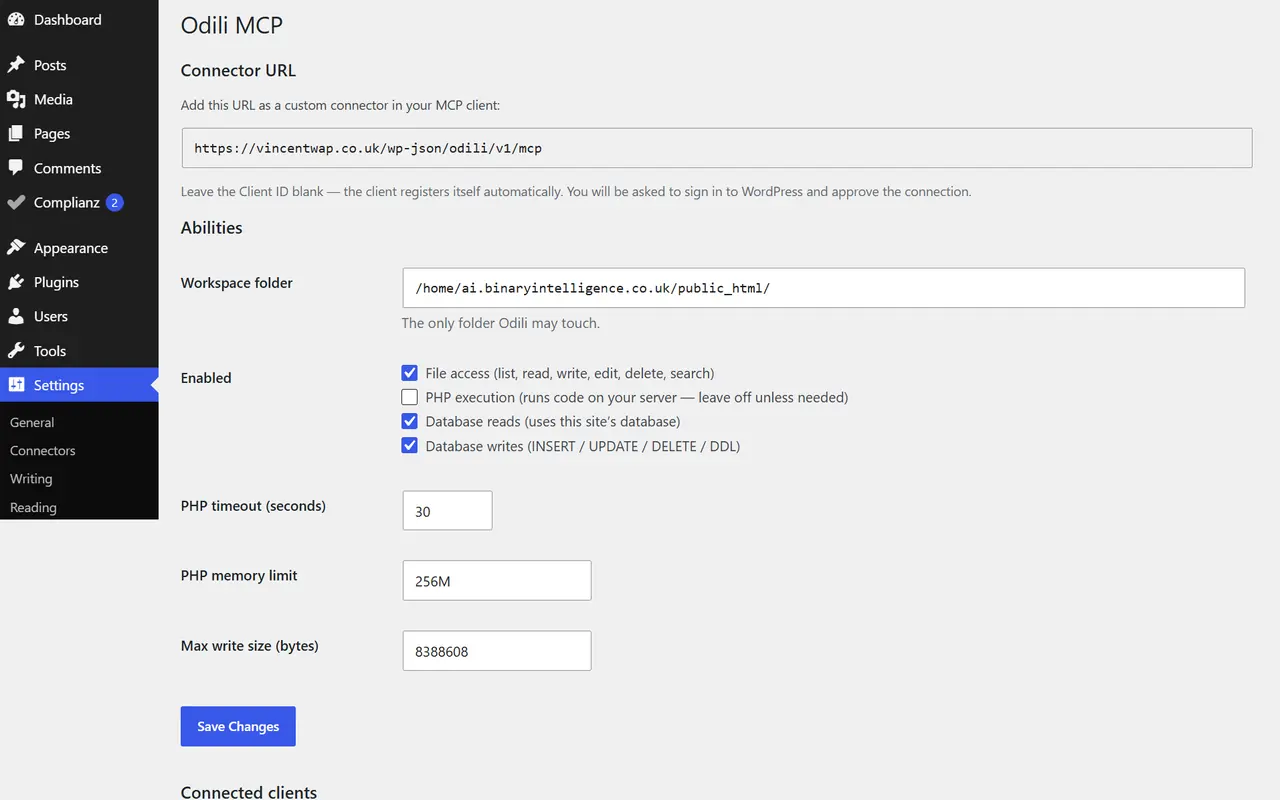
What we built /04
A full OAuth 2.1 provider, inside a plugin.
- Dynamic client registration (RFC 7591) — the client registers itself, so there is no Client ID to copy
- Mandatory PKCE with S256; requests arriving without it are rejected outright
- Single-use authorization codes that expire after five minutes
- Eight-hour access tokens with refresh tokens that rotate on every use
- Consent screen gated on the manage_options capability, re-checked on every MCP request
- Workspace path jail resolving symlinks and traversal before any read or write
- Separate toggles for database reads and writes, making read-only SQL enforceable
- Disconnect all clients — one button that drops every client and invalidates every issued token
The two discovery documents have to answer from the site root, which WordPress would normally 404, so the plugin intercepts them on parse_request before routing happens. The consent screen is intercepted the same way and deliberately is not a REST route: WordPress ignores login cookies on REST requests carrying no nonce, and putting the authorize endpoint there sends the user round the login screen forever. That distinction — cookie endpoints on the front end, bearer-token endpoints on REST — is the difference between a plugin that connects and one that loops.
Key capabilities /05
Tech stack /06
- PHP 8.1+
- WordPress REST API
- Model Context Protocol
- JSON-RPC
- OAuth 2.1
- PKCE (S256)
- RFC 7591
- PSR-4 autoloading